
User Guide June 2022
VitalCALL SEVEN user guide
Everything you need to know about your 4G personal alarm base unit and pendant: sending an alert, cancelling an alarm, what each light means, and how to test your pendant each month.
Introduction
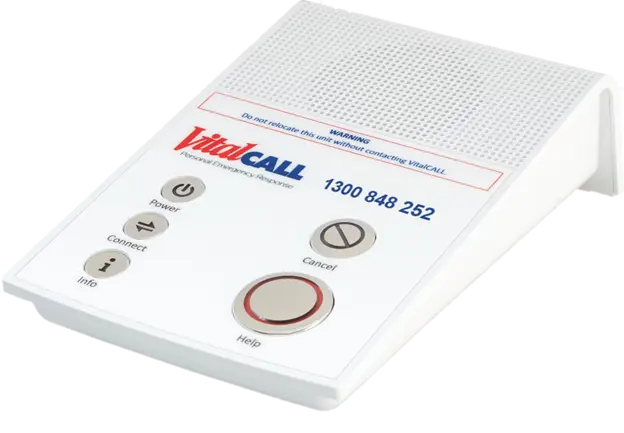
Welcome to SEVEN, your 4G/3G personal emergency response system that operates on the mobile cellular network. The SEVEN base unit and pendant are easy to use and reliable.
SEVEN has many safety features to make sure you can send a request for help when you need it, and it communicates with you through voice messages and the light indicators under each button.
Installation
Your VitalCALL system can be installed by one of our professional agents, or self installed by you or a nominated person using our guided self installation process. Installation includes a pendant range test from at least six main areas of your home, such as bathrooms, bedrooms, living rooms, laundries, courtyards, and the front and back yards. An audio check may also be required. You may be asked to confirm your personal details and who will be on your emergency contact list.
Do not unplug or move the SEVEN base unit from where it was installed. That location was tested for cellular connectivity and pendant range. Moving the base unit could affect its ability to send an alert for help. If you are relocating, call the VitalCALL team to update your details and book a self relocation or an agent visit (charges may apply).
System components
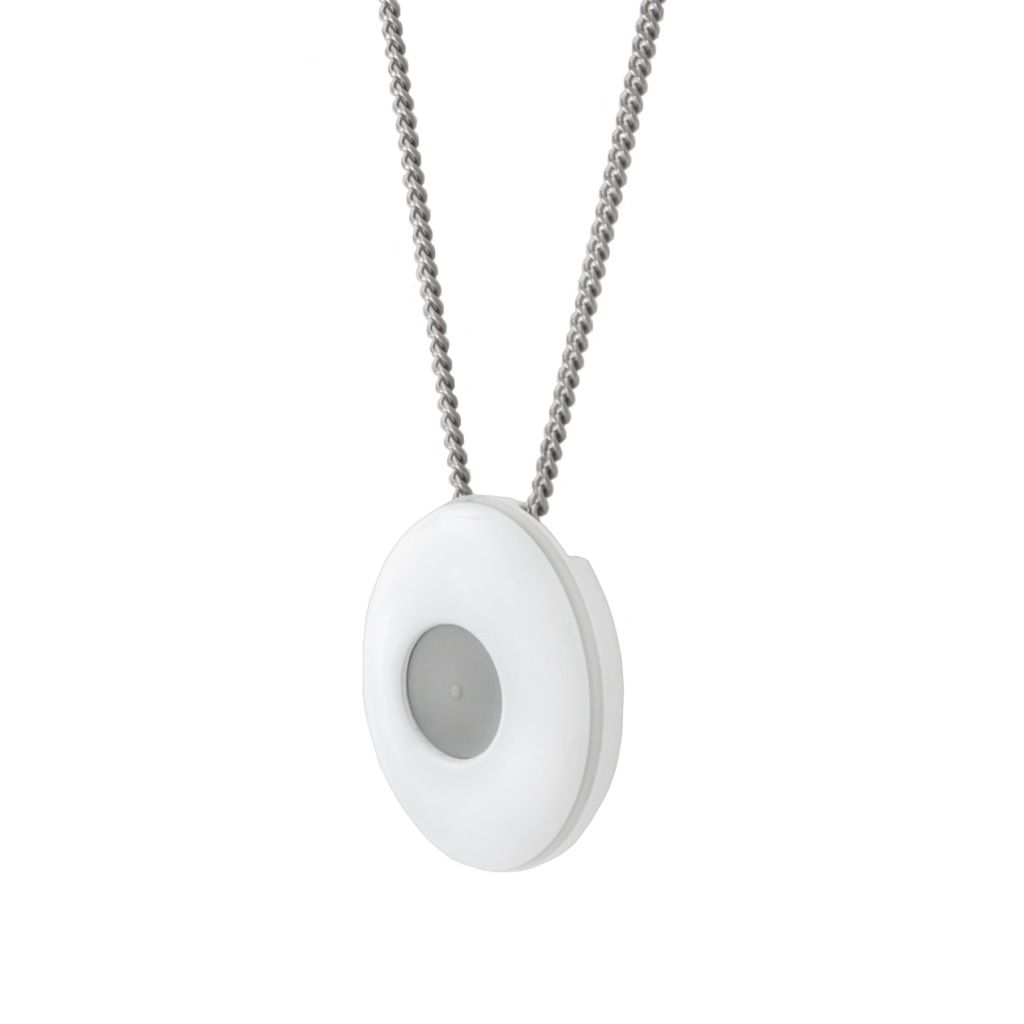
Pearl Pendant
Your waterproof personal help button.
SEVEN base unit
Speakerphone, microphone and five lit buttons.
SEVEN plug pack
Keeps the unit powered, with 48 hour back-up battery.
Your pendant should always be worn, including at night in bed. It is waterproof and should be worn in the bath or shower, where slips and falls are more likely.
If you have a neck pendant, the chain is designed to break under significant pressure. Swapping it for another chain or cord could cause you harm if it catches on something and does not break.
Step by step
Requesting help
- 1Press the pendant firmly at any time of the day or night. The outer rim flashes red to show your call for help is being sent.
- 2A loud alarm sounds from the base unit and the Help button illuminates red. Voice messages keep you updated as your request progresses.
- 3After the pre-alarm stops, the alert is sent to the VitalCALL Emergency Response Centre and a recording confirms it has been sent and received.
- 4One of our Emergency Response Team Members speaks to you through the base unit speakerphone and asks if you have an emergency.
You can also press the large round Help button on the base unit to request help.
You can only talk with the operator if you are within speaking distance of the base unit. If we cannot hear you, or you cannot hear us, we assume you need assistance and will dispatch emergency services and notify your emergency contacts. The microphone is very sensitive, so our operator may hear you even if you cannot hear them.
Cancelling an alarm
If the alarm is triggered accidentally, press the round Cancel button on the base unit while it is backlit orange, within the first 10 seconds. This stops the alert being sent to the Emergency Response Centre. If you do not cancel in time, do not worry, just let the operator know it is a false alarm.
Away Function
Your pendant and base unit check their connection roughly three times a day. Enable the Away Function when you are leaving home for more than a day.
Turning it on
Press and hold Cancel during normal operation. The Cancel button flashes left to right while Away is enabled.
Turning it off
Press and hold the flashing Cancel button. The unit announces, “Away mode disabled, welcome back home”.
Do not cover the top of your VitalCALL SEVEN base unit. This can affect the speaker volume and the visibility of the button indicators.
Monthly pendant test
You will be reminded to test your pendant each month, and the Info button flashes until you do. Press the Info button on the base unit, then press your pendant when instructed. The outer rim of the pendant flashes red and the pre-alarm sounds while the alert is sent. Stay close to the base unit until the operator calls, then tell them you are testing. There is no need to call us beforehand.
Optional features
Reminders
If voice reminders are enabled (not available on all models), a message plays at a pre-set time, for example “This is your ten thirty reminder. It is time to take your medicine.” Press the flashing orange Cancel button to clear it, otherwise it repeats periodically.
Daily Check
If Daily Check is enabled, the Connect button flashes blue at a set time each day. Press it to send your report to monitoring. If you do not, our monitoring centre will contact you to check you are OK.
Optional product
Pearl Advanced pendant
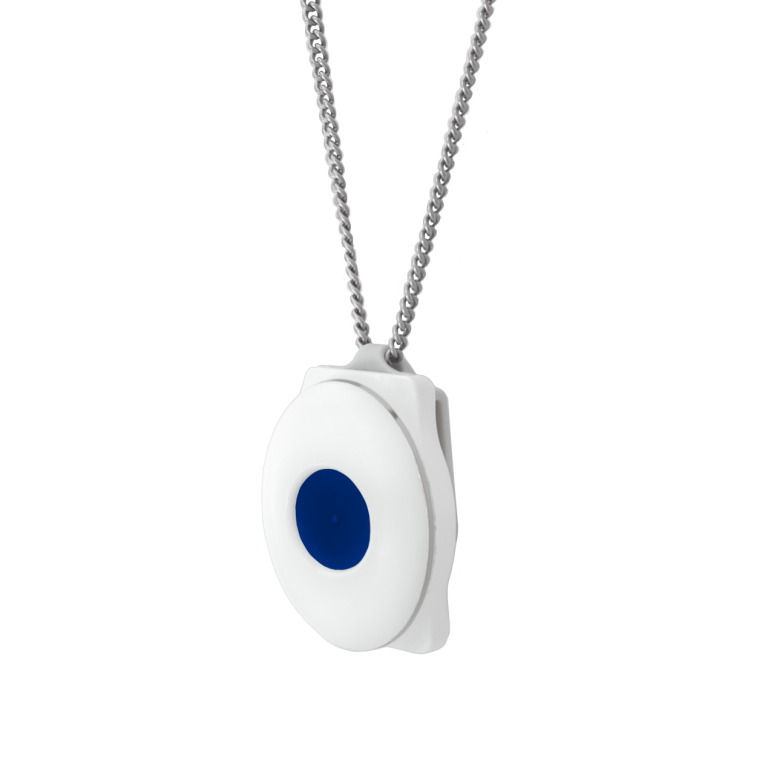
The Pearl Advanced pendant is a help button you can press to summon help, and a fall detector that sounds an alert and signals your base unit when it detects a fall and impact.
When a fall is detected the pendant beeps for 15 seconds before signalling the base unit. Once received it beeps three times and flashes red around its outer edge, the base unit sounds a loud pre-alarm, and an alert reporting the fall is sent to the monitoring centre.
Cancelling: if you have not fallen, shake the pendant side to side during the 15 second beeping, or press Cancel on the base unit during the 15 second pre-alarm.
Wearing it: the Pearl Advanced must be worn around the neck on the supplied surgical grade stainless steel chain, which breaks under significant pressure. Expect a few false activations in the first days, and avoid catching it in clothing while dressing.
The Pearl Advanced is designed to detect a significant fall and subsequent impact. Some falls will not be detected automatically, so always press the help button if you can. Rare events such as network outages mean it is not always possible to notify all events immediately. Use of this product confirms acceptance of these limitations.
Support
Quick troubleshooting tips
| Issue | What to do |
|---|---|
| No lights on the VitalCALL unit |
|
| Base unit is beeping continuously |
|
| Pre-alarm volume is too loud |
|
| Unable to hear the operator during a test or alarm |
|
| Power button flashing orange |
|
| Power button solid red |
|
| Power button flashing red |
|
| Info button flashing green |
|
| Info button flashing orange |
|
| Info button flashing blue |
|
| Cancel button flashing left to right |
|
| Cancel button solid orange |
|
| Connect button solid orange |
|
| Connect button flashing red |
|
| Connect button flashing blue |
|
| Pendant is not activating the base unit |
|
| Chain broke |
|
| Wrist band broke |
|
| Pendant or unit is false alarming |
|
Cleaning and maintenance
- Do not spray your personal help button or base unit with perfume, insect repellent or similar harsh chemicals
- Clean with a warm, well wrung out, damp cloth
- Do not use abrasive or polishing cleaners
- Do not immerse the base unit in liquid, or place it where liquids can be spilled on it
- Do not try to open any part of the base unit or personal help button
- Do not put objects into any of the holes or sockets
- Do not cut any of the wires connected to your base unit
In exceptional circumstances the system may not operate as expected due to external factors such as radio interference, lightning strikes or network outages. These are rare, and because they are outside our control we cannot accept responsibility for damages or consequences resulting from any failure. If you suspect your system is damaged, perform a pendant test or contact the VitalCALL team.
Contact details
If you have any concerns, believe your pendant or base unit is not working, or something in your set-up has changed since installation or your last pendant test, call us on 1300 VITALCALL (1300 848 252), Option 2, Monday to Friday 8:00am to 5:00pm EST.
The VitalCALL Emergency Response Centre operates 24/7, 365 days a year. If you feel unwell or need assistance immediately, press your pendant or the Help button on your base unit.
VitalCALL® is a registered trademark of Chubb Fire & Security Pty Ltd ABN 47 000 067 541. This user guide is general guidance only and is not a substitute for detailed advice in specific circumstances. Designed and manufactured in New Zealand by Chiptech Limited.
Need help? Give us a call!